How to Audit a Website's Internal Linking Structure
A well-planned internal linking structure helps search engines understand your site's hierarchy and lets users find related content faster. This guide walks you through a complete internal linking audit—what to check, how to fix problems, and how to build a sustainable linking system.
You publish a new article. You wait. It barely gets crawled. A month later, it still doesn't rank for the keywords it targets. You start wondering whether the content is weak, the topic is too competitive, or the page simply isn't important enough.
Often, the problem isn't the content at all. It's the internal linking. When pages aren't connected to each other in a logical way, search engines struggle to find them, understand their relationship, and decide which pages matter most. The result is orphaned pages, diluted link equity, and content that never gets the visibility it deserves.
This article explains how to audit a website's internal linking structure step by step. You'll learn what an internal linking audit actually involves, the tools that make the process faster, the most common mistakes that quietly hurt your SEO, and how to turn your findings into a repeatable system. Whether you run a small blog, manage an e-commerce site, or handle SEO for multiple clients, the process is the same—and it's more practical than you might think.
What Is Internal Linking in SEO?
Internal linking is the practice of connecting one page on your website to another page on the same website using hyperlinks. These links appear in navigation menus, footer links, breadcrumbs, contextual links within content, and related-article modules.
Internal links serve three main purposes. First, they help search engine crawlers discover new pages and understand how your content is organized. Second, they distribute link equity—also called PageRank or authority—from stronger pages to pages that need more visibility. Third, they guide human visitors to related information, which improves time on site and engagement.
A strong internal linking structure is not about cramming as many links as possible into every paragraph. It's about creating a logical, hierarchical web of connections that reflects the true structure of your content and helps both users and search engines navigate your site with confidence.
What Is an Internal Linking Audit?
An internal linking audit is a systematic review of how pages on your website link to each other. The goal is to identify structural problems that prevent search engines from crawling, indexing, and ranking your content effectively.
During the audit, you'll typically look for orphan pages—pages that have no internal links pointing to them—broken links, redirect chains, overly deep page hierarchies, missing contextual links, and pages that should pass authority but don't. You'll also evaluate whether your most important pages receive enough internal link attention compared to less important pages.
The audit produces a clear picture of your site's internal linking health. From there, you can build a prioritized fix list that strengthens your site's architecture without having to redesign everything from scratch.
Why Internal Linking Audits Matter for SEO
Internal linking is one of the few SEO levers you control completely. You can't force other websites to link to you, and you can't dictate how Google interprets your content. But you can decide how your pages connect to each other. That level of control makes internal linking one of the highest-impact, lowest-risk optimizations available.
When your internal linking structure is broken, several problems compound quickly. Crawlers may miss new pages entirely, especially on larger sites with thousands of URLs. Link equity gets trapped on pages that don't need it while money pages starve. Users land on a page and have no logical next step, so they bounce. And your site's overall topical authority stays fragmented instead of concentrated.
A regular internal linking audit prevents these problems from becoming permanent. It's the SEO equivalent of checking the wiring in your house before a major appliance fails—not glamorous, but essential for long-term stability.
Who Needs an Internal Linking Audit?
The short answer is anyone who owns or manages a website with more than a handful of pages. The longer answer depends on your situation.
- Website owners and bloggers with dozens or hundreds of posts need audits to ensure older content stays connected to newer content and that pillar pages receive proper link attention.
- E-commerce store owners need audits to ensure category pages, product pages, and informational content link to each other in ways that drive both rankings and conversions.
- SEO freelancers and agencies need audit workflows to identify client issues quickly and deliver actionable recommendations without spending days manually crawling each site.
- Content marketers need audits to verify that every new piece of content receives at least one contextual internal link from an existing relevant page.
- Local SEO professionals need audits to ensure service pages, location pages, and blog content connect in ways that reinforce local relevance.
If any of these descriptions sounds like you, an internal linking audit is worth your time. The process scales to your site's size and complexity, and the fixes can often be implemented in a single afternoon.
Tools You Can Use to Audit Internal Linking
You don't need expensive software to complete an internal linking audit. Depending on your site's size and your technical comfort level, you can choose from free, low-cost, or premium options.
- Screaming Frog SEO Spider is the most popular choice for internal linking audits. Its free version crawls up to 500 URLs and provides detailed internal link data, including inbound links, outbound links, anchor text, and orphan page detection.
- Sitebulb offers a more visual interface with internal link visualization, hierarchical crawl maps, and prioritized issue detection. It's particularly useful for larger sites that need clear, reportable findings.
- Google Search Console is free and shows which pages Google has actually crawled and indexed, which can reveal crawl depth problems and pages that receive no internal link attention.
- Ahrefs and Semrush both include internal link analysis features, including broken link detection, link equity flow, and page-level link metrics, though these require a paid subscription.
- Manual inspection works for very small sites under 50 pages. You can map the internal linking structure by hand using a spreadsheet, but this becomes impractical quickly as your site grows.
For most professional SEO work, combining Screaming Frog with a manual review of your top 20 pages provides the best balance of automation and strategic judgment.
How to Audit a Website's Internal Linking Structure: Step-by-Step
Here is a practical eight-step process you can follow to audit any website's internal linking structure. The steps build on each other, and by the end you'll have a prioritized list of fixes you can implement immediately.
Step 1: Crawl the Entire Website
Run a full crawl using Screaming Frog, Sitebulb, or your preferred crawler. Configure the tool to follow internal links only, exclude noindex pages, and capture all link data. Export the crawl report to a spreadsheet for analysis.
Step 2: Identify Orphan Pages
Orphan pages are pages that have no internal links pointing to them. They exist in your sitemap or in Google's index, but no other page on your site links to them. These pages are nearly impossible for users to find and hard for search engines to value. Identify every orphan page and decide whether to link to it, consolidate it, or remove it.
Step 3: Map Your Page Hierarchy and Click Depth
Check how many clicks it takes to reach each important page from the homepage. Pages that require more than three clicks to reach are too deep for most sites. Your most important pages—money pages, pillar content, core services—should be reachable within one or two clicks from the homepage.
Step 4: Review Your Navigation and Footer Links
Look at your main navigation menu and footer links. Are they structured logically? Do they include your most important pages? Are they consistent across the site? Navigation and footer links pass authority to every page they link to, so make sure they point to pages that actually deserve that authority.
Step 5: Analyze Contextual Links Within Content
Contextual links—links placed within the body of an article or page—are the most valuable type of internal link because they pass the most specific relevance signals. Review your top 30 pages and count how many contextual internal links each page contains. Pages with fewer than two or three contextual outbound links to related content are under-linked.
Step 6: Check Anchor Text Relevance
Anchor text is the clickable text in a link. Vague anchor text like "click here" or "read more" provides no context to search engines. Audit a sample of internal links and check whether the anchor text accurately describes the target page. If it doesn't, update the anchor text to be more descriptive.
Step 7: Find Broken Internal Links and Redirect Chains
Broken internal links waste crawl budget and frustrate users. Redirect chains add unnecessary latency and dilute link equity. Your crawler should flag these automatically. Fix broken links by either updating the URL or removing the link. Eliminate redirect chains by linking directly to the final destination URL.
Step 8: Prioritize Fixes Based on Impact
Not every issue is equally urgent. Group your findings into three buckets: critical fixes that affect your most important pages, moderate improvements that strengthen the overall structure, and long-term enhancements that can be implemented during future content updates. Start with the critical fixes and work down.
Practical Tip: Save your crawl data as a baseline. After you implement fixes, recrawl the site and compare the before-and-after results. This shows you exactly which changes had the most impact and helps you refine your process over time.
Practical Examples of Internal Linking Audit Findings
The following examples show how internal linking problems appear in real-world scenarios and how to fix them. These are hypothetical examples designed to illustrate the audit process.
E-Commerce Store with Orphaned Product Pages
A home goods e-commerce store launches 40 new product pages for a seasonal collection. The marketing team announces the collection on social media, but no one adds internal links from the category page, the blog, or the homepage. When the SEO team runs a crawl, all 40 product pages show up as orphans.
Fix: The team adds links from the main category page to the new collection, writes a blog post about the collection with contextual links to the top 10 products, and updates the homepage banner to link to the collection landing page. Within a week, all 40 pages are reachable within two clicks from the homepage.
Blog with Weak Contextual Linking
A B2B SaaS blog has 200 published articles. An audit reveals that 70% of articles contain zero contextual internal links to other blog posts. Each article ends with a generic "Related Posts" widget, but the body text includes no links to specific, relevant articles.
Fix: The content team reviews the top 30 articles by traffic and adds 3–5 contextual links from each article to related posts, using descriptive anchor text that includes the target keyword. They also create a content hub page that links to all articles within each topic cluster, creating a clear hierarchical structure.
Local Service Business with Uneven Link Distribution
A plumbing company has five service pages: emergency plumbing, drain cleaning, water heater installation, sewer repair, and bathroom remodeling. An audit shows that the homepage links to all five pages, but the emergency plumbing page receives 80% of all internal link equity because it's linked from every blog post, while bathroom remodeling receives almost none.
Fix: The team redistributes internal links by adding contextual links from relevant blog posts to the under-linked service pages. They also update the footer to link to all five service pages equally. Within a month, the under-linked pages show improved crawl frequency and visibility.
Common Internal Linking Mistakes to Avoid
Most internal linking problems fall into predictable patterns. Recognizing these mistakes makes your audit faster and your fixes more effective.
- Creating orphan pages. Every new page should receive at least one internal link from an existing relevant page before or immediately after publication. If you publish first and link later, the page may sit undiscovered for weeks.
- Using generic anchor text. "Click here," "learn more," and "read this" don't help search engines understand what the target page is about. Use descriptive anchor text that matches the target page's primary keyword.
- Neglecting contextual links. Footer and sidebar links help with crawlability, but contextual links within body content pass the strongest relevance signals. Don't rely on navigation alone to connect related pages.
- Over-linking from a single page. A page with 50 internal links dilutes the value of each link. Keep contextual outbound links to a reasonable number—usually 3 to 8 per article, depending on length.
- Ignoring redirect chains. When you change a URL, update all internal links that point to the old URL. Redirect chains waste crawl budget and dilute link equity with every hop.
- Not auditing regularly. Internal linking structures decay over time as content is added, removed, and reorganized. Schedule a full audit at least twice a year, or quarterly for large sites.
Best Practices for Internal Linking After the Audit
Completing an audit is only the beginning. The real value comes from implementing fixes and building a system that prevents future problems.
- Link from high-authority pages to pages that need a boost. Identify your top pages by traffic and backlinks, then add contextual links from those pages to underperforming related pages.
- Use a pyramid structure. Your homepage links to main category pages, category pages link to subcategories or pillar articles, and pillar articles link to supporting content. Each level passes authority down while maintaining a logical hierarchy.
- Write anchor text that matches the target page. If the target page is about "commercial HVAC maintenance," use that phrase or a close variation as the anchor text, not "services" or "click here."
- Link to related content contextually. When writing a new article, ask yourself: which previously published articles does this piece naturally connect to? Link to 3–5 related pages within the body text.
- Update old content with new links. When you publish a new article, go back to 5–10 older related articles and add contextual links to the new piece. This is one of the most underrated internal linking practices.
- Keep important pages within three clicks of the homepage. If a money page requires four or more clicks to reach, restructure your navigation or add links from higher-level pages to reduce its depth.
How AI Prompts Can Help with Internal Linking Audits
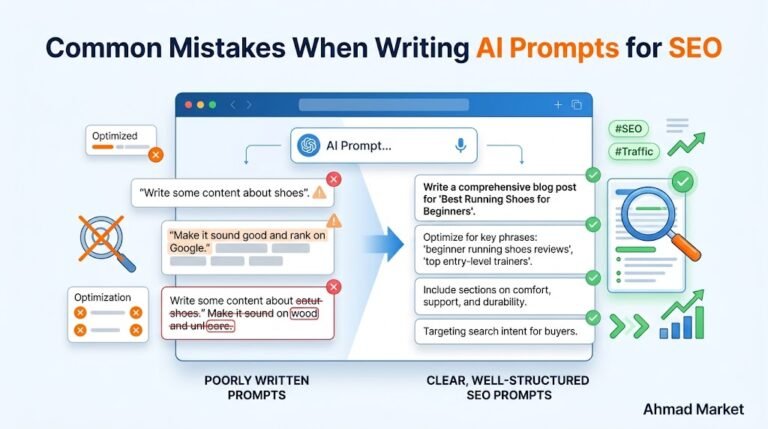
AI tools can't crawl your website, but they can help you analyze crawl data, generate internal linking suggestions, and standardize your audit workflow. By combining a crawler export with well-structured AI prompts, you can speed up the analysis phase significantly.
For example, you can paste a list of page titles and ask an AI model to suggest logical internal link relationships based on topical relevance. Or you can provide anchor text from your site and ask the AI to flag vague or irrelevant anchors that need updating. You can also use AI to generate a standardized audit checklist that you reuse for every client.
This is where a structured prompt pack becomes genuinely useful. Instead of building every audit prompt from scratch, you can start from templates that have already been organized for SEO workflows. If you're looking for a ready-made starting point, check out Ahmad Market's 35 Premium SEO Prompts, which includes prompts for internal linking analysis, content optimization, and technical audits. For a deeper technical focus, the Technical SEO Prompts pack offers templates specifically designed for crawl and indexing workflows.
The key is to remember that AI output is a starting point, not a final deliverable. Always verify AI-generated internal linking suggestions against your actual site data and apply your own professional judgment before making changes.
AI Prompt for Internal Linking Analysis
Internal Linking Audit Checklist
Use this checklist every time you audit a website's internal linking structure. It covers the essential checks that deliver the most impact.
- Crawl the entire website with an SEO crawler and export all link data.
- Identify all orphan pages and decide whether to link, consolidate, or remove each one.
- Map click depth from the homepage to every important page.
- Review navigation menu and footer links for consistency and relevance.
- Count contextual internal links on your top 30 pages.
- Check anchor text relevance on a sample of 50 internal links.
- Find and fix all broken internal links.
- Eliminate redirect chains by updating internal links to final URLs.
- Verify that every new page has at least one internal link from an existing page.
- Confirm that your most important pages receive proportional link attention.
- Create a prioritized fix list with critical, moderate, and long-term items.
- Schedule the next internal linking audit.
What an Internal Linking Audit Cannot Fix
Internal linking is powerful, but it's not a cure-all. Being realistic about its limitations helps you set proper expectations and avoid over-investing in one tactic.
- Internal links cannot replace quality backlinks. They help distribute authority, but they don't create new authority. If your site has no external links, internal linking alone won't make it rank.
- Internal links cannot fix thin or irrelevant content. Linking to a weak page doesn't make it stronger. Fix the content first, then add internal links.
- Internal links cannot guarantee rankings. They're one of hundreds of ranking factors. A well-linked page with poor content or a slow site will still struggle.
- Internal links cannot fix crawlability issues caused by robots.txt or noindex tags. If you've blocked a page from crawling, no amount of internal linking will help it get indexed.
- Internal link audits don't replace full technical SEO audits. They focus on one aspect of technical health. A complete technical SEO audit covers many other factors, including site speed, mobile usability, structured data, and indexation issues.
Frequently Asked Questions
How often should I audit my website's internal linking structure?
For small websites under 100 pages, a full audit every six months is usually sufficient. For larger sites or sites that publish new content frequently, quarterly audits are better. If you've recently undergone a major site redesign, content migration, or URL restructuring, run an immediate audit regardless of your normal schedule.
What is an orphan page in internal linking?
An orphan page is a page on your website that has no internal links pointing to it from any other page. It can only be found through your XML sitemap, a direct URL entry, or an external link. Orphan pages are difficult for search engines to value and nearly impossible for visitors to discover through normal navigation.
How many internal links should a page have?
There's no fixed number. A page should have as many internal links as is useful for the reader, without overwhelming them. As a general guideline, a blog article should include 3 to 8 contextual links to related content. Navigation and footer links are additional. The key is relevance—every link should serve a clear purpose.
Can too many internal links hurt my SEO?
Excessive internal links can dilute link equity and create a poor user experience if the links feel spammy or irrelevant. Google has stated that a reasonable number of internal links is fine, but stuffing dozens of links into a short page with no logical structure can make it harder for search engines to understand which links matter most.
Do I need to use keyword-rich anchor text for internal links?
Descriptive anchor text is helpful, but avoid exact-match keyword stuffing. Use natural phrases that accurately describe the target page. For example, "learn how to fix a running toilet" is better than "plumber running toilet fix emergency plumber." Write anchor text for humans first, and the SEO benefit follows naturally.
Key Takeaways from Your Internal Linking Audit
Auditing your website's internal linking structure is one of the most practical SEO improvements you can make. It's entirely within your control, the fixes are straightforward, and the results compound over time as your site grows.
The process is simple: crawl your site, identify orphan pages, map your hierarchy, review contextual links, check anchor text, fix broken links, and prioritize based on impact. Do this regularly, and your internal linking structure will become a competitive advantage instead of a hidden liability.
If you want a structured starting point for your next audit, explore the SEO prompt resources available at Ahmad Market. For deeper technical workflows, the Technical SEO Prompts pack provides ready-made templates that can help you standardize your audit process across every project.
Your next step is practical. Pick one website—yours or a client's—and run a full internal linking audit this week. The findings will almost certainly reveal quick wins you can implement immediately. That's the power of a well-executed internal linking audit.